
Trellix includes the Trellix log source template which has predefined settings and configurations to fetch Trellix logs. Some configurations require organization-specific information that you need to add manually.
To configure:
Go to Settings >> Log Sources from the navigation bar and click Browse Log Source Templates.
Click Trellix.
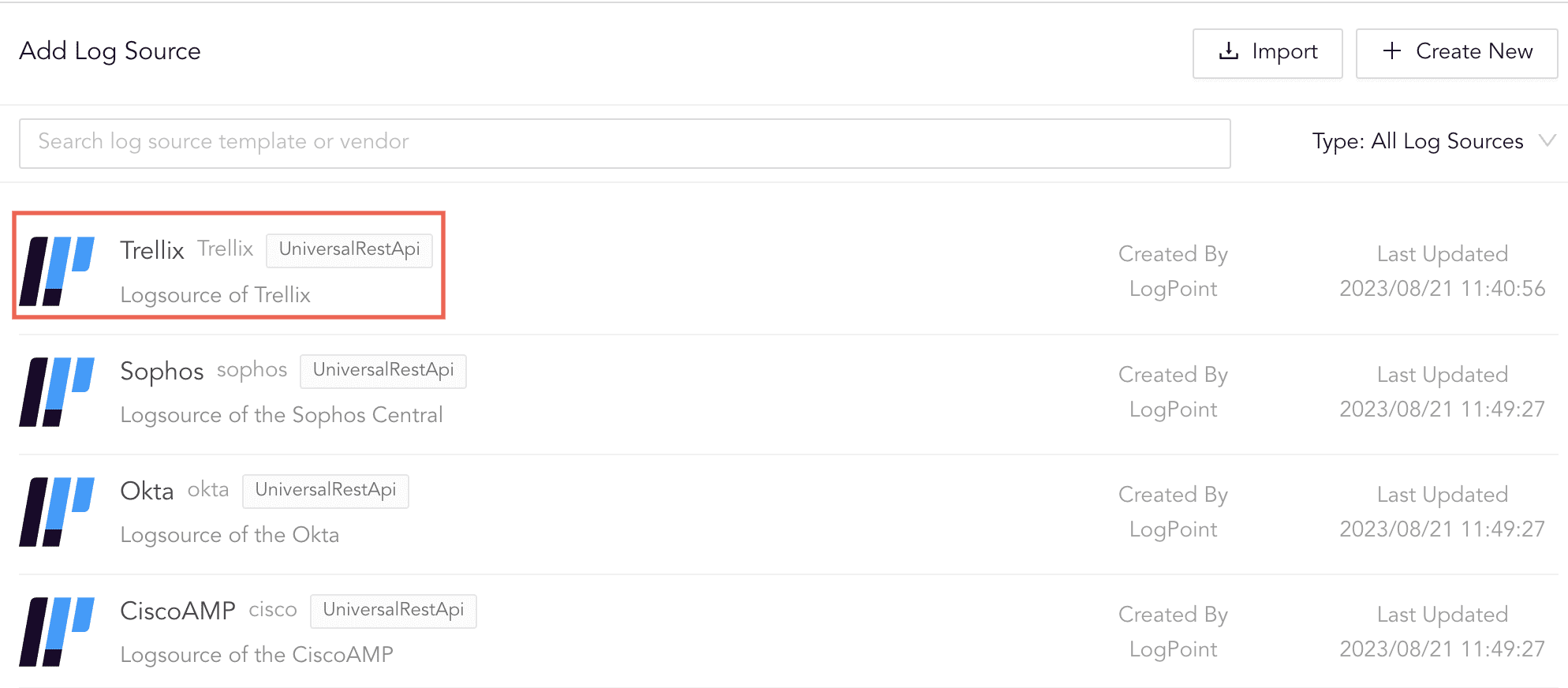
Log Source Templates
Enter your Base URL. For example, http://1.1.1.1:50.
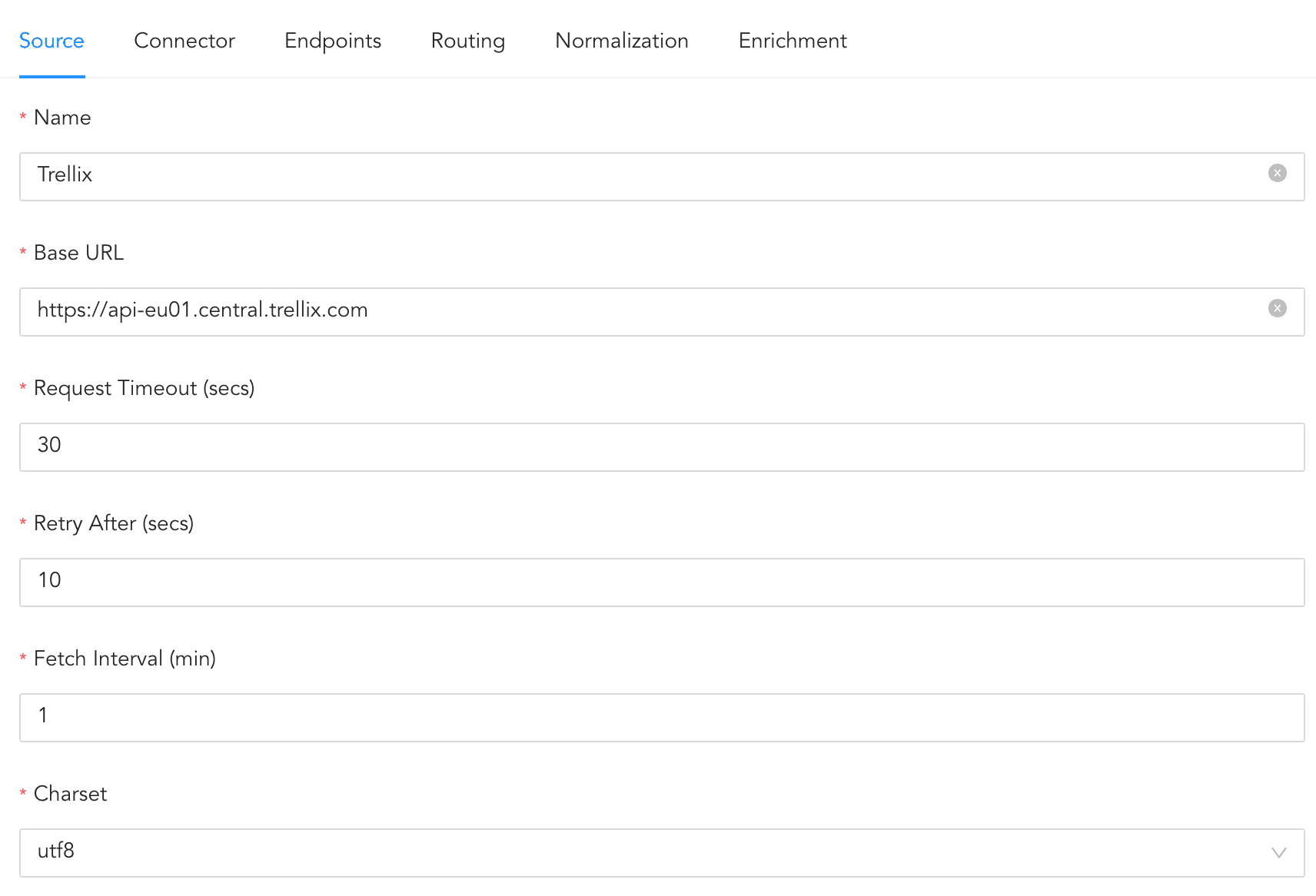
Configuring Source
Click Connector.
In OAUTH 2.0 BASIC INFORMATION,
5.1. ENTER your Token URL. For example, http://1.1.1.1:50/login.
5.2. Enter your Client ID.
5.3. Enter your Trellix’s Username and Password.
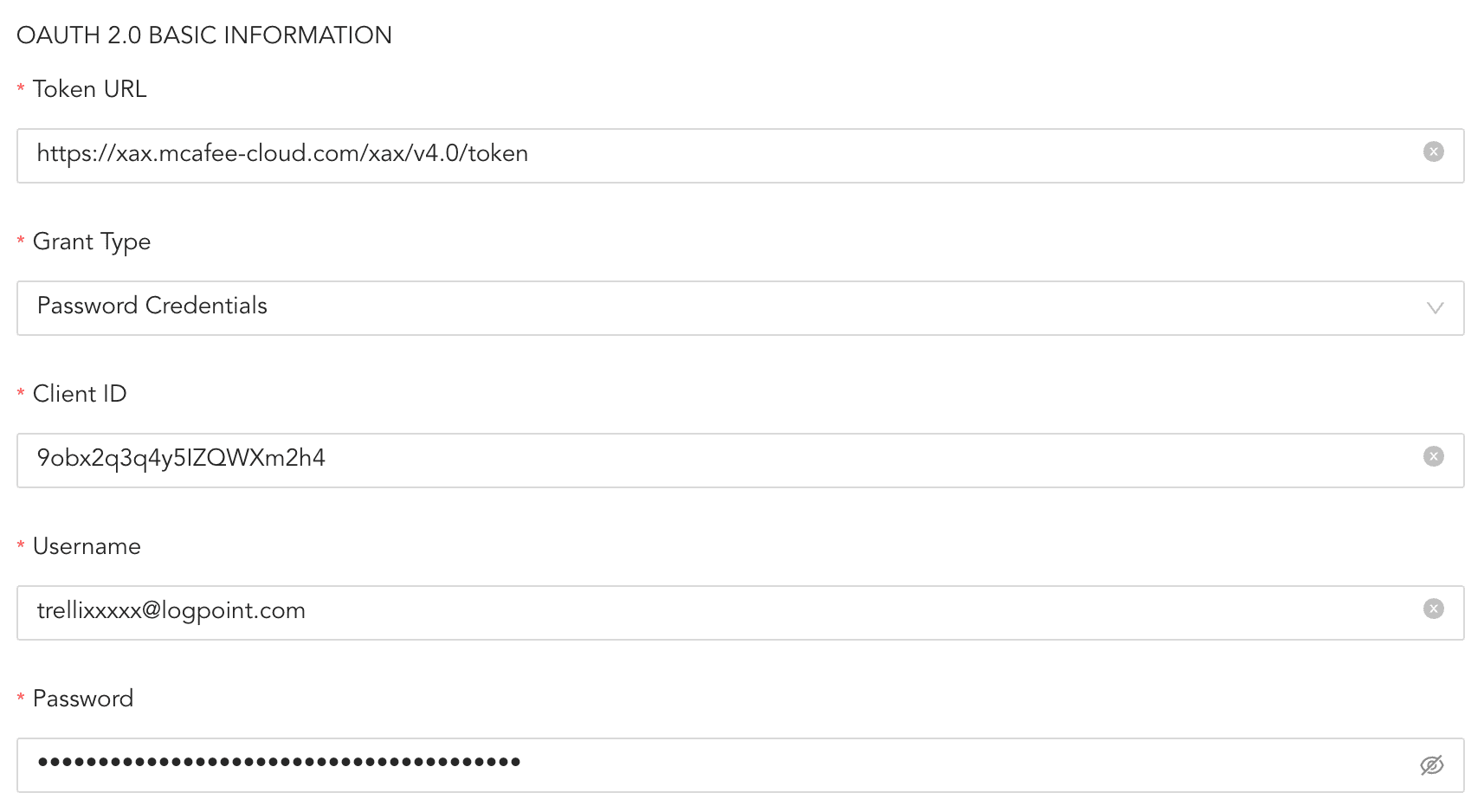
Configuring Connector
Click Routing to create repos and routing criteria.
6.1. Click + Create Repo.
6.2. Enter a Repo name.
6.3. In Path, enter the location to store incoming logs.
6.4. In Retention (Days), enter the number of days logs are kept in a repository before they are automatically deleted.
6.5. In Availability, select the Remote logpoint and Retention (Days).
6.6. Click Create Repo.
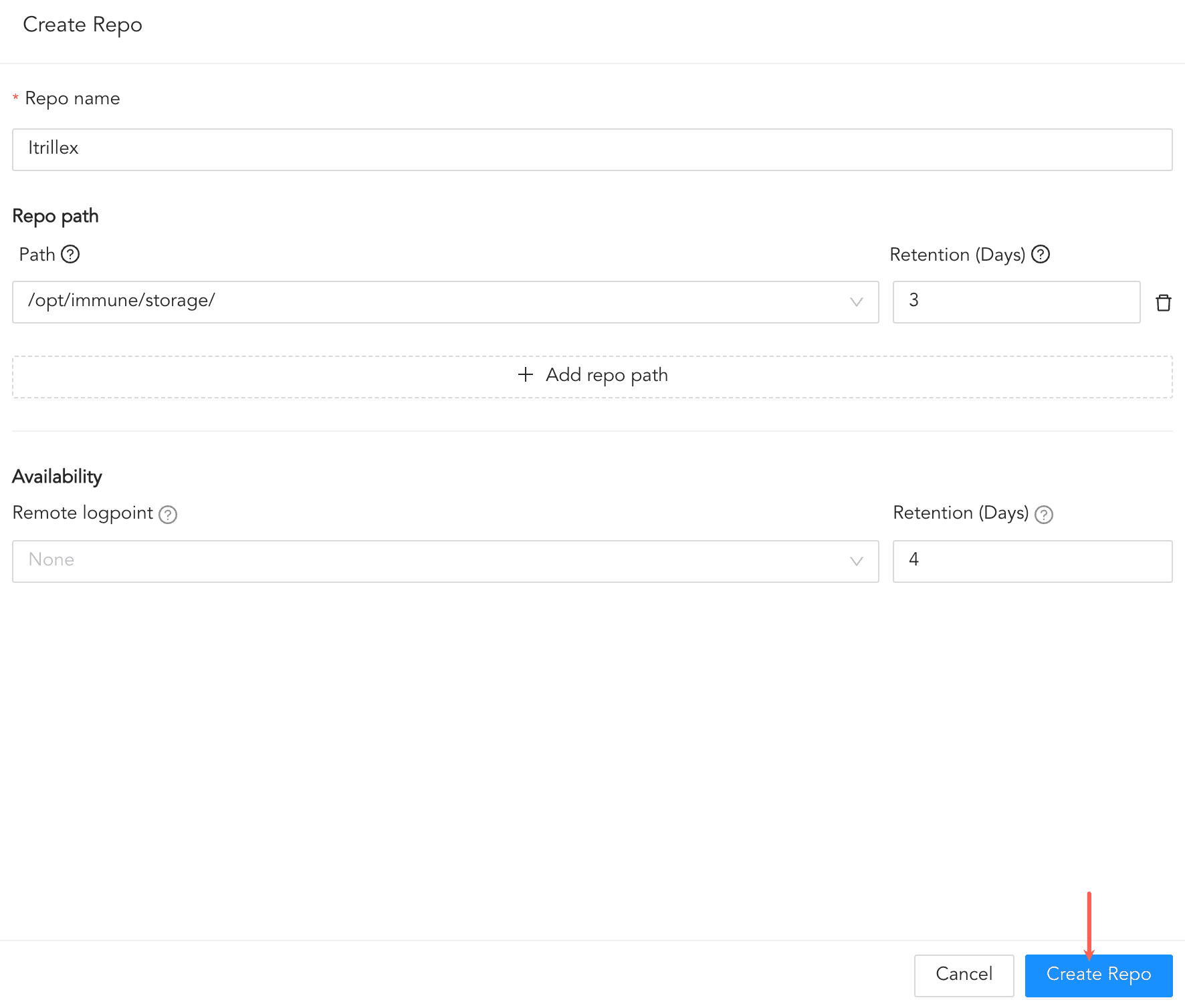
Creating a Repo
6.7. In Repo, select the repo created to store Trellix logs.
6.8. Click + Add row.
6.9. Enter a Key and Value. The routing criteria are only applied to those logs which have this key value pair.
6.10. Select an Operation for logs that have this key value pair.
6.10.1. Select Store raw message to store both the incoming and the normalized logs in the selected repo.
6.10.2. Select Discard raw message to discard the incoming logs and store the normalized ones.
6.10.3. Select Discard entire event to discard both the incoming and the normalized logs.
6.11. In Repository, select a repo to store logs.
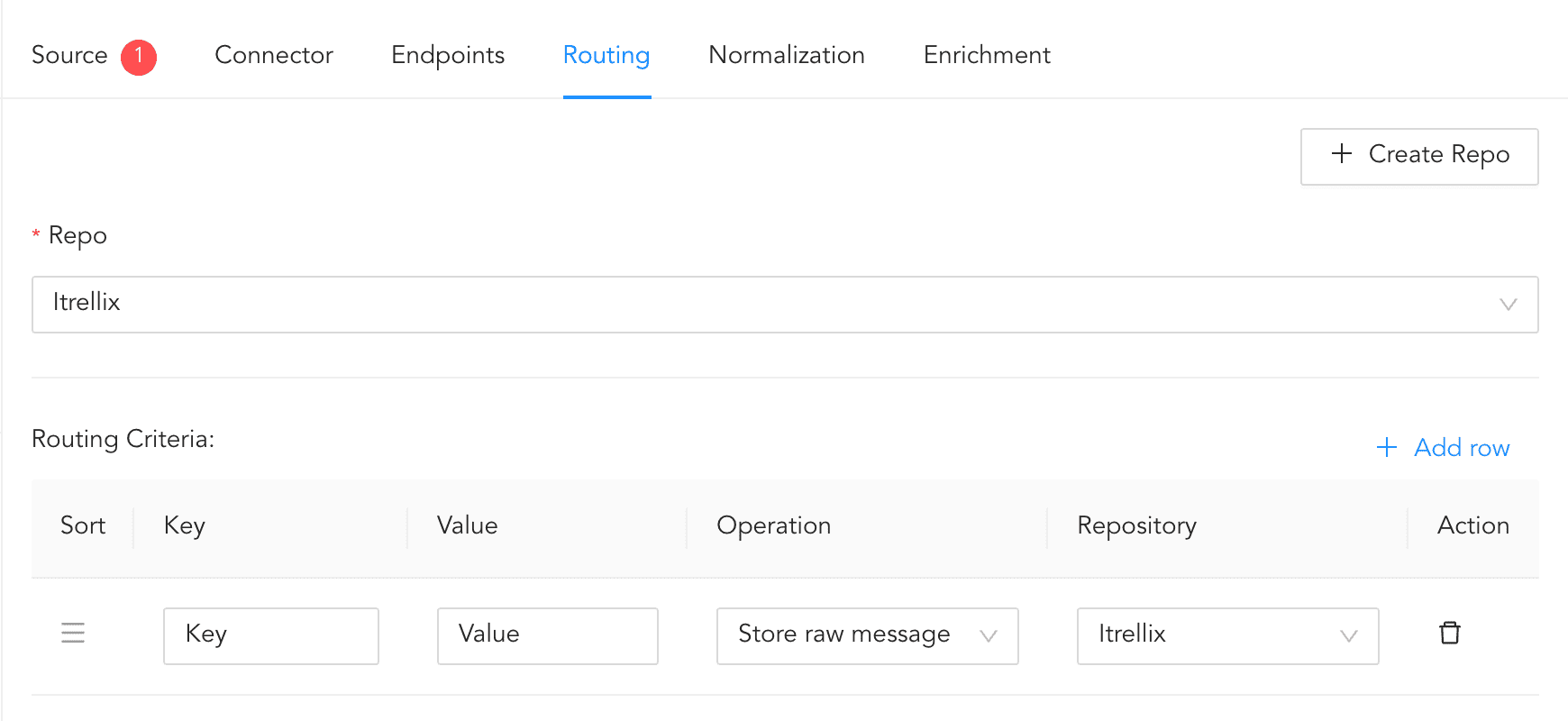
Creating a Routing Criteria
6.12. To delete any existing routing criteria, click the Uninstall icon in Actions.
Click Enrichment and select an enrichment policy for the incoming logs.
Click Save Configuration to save all the above configurations.